Step 1
Open Casual, Then Scoreboard
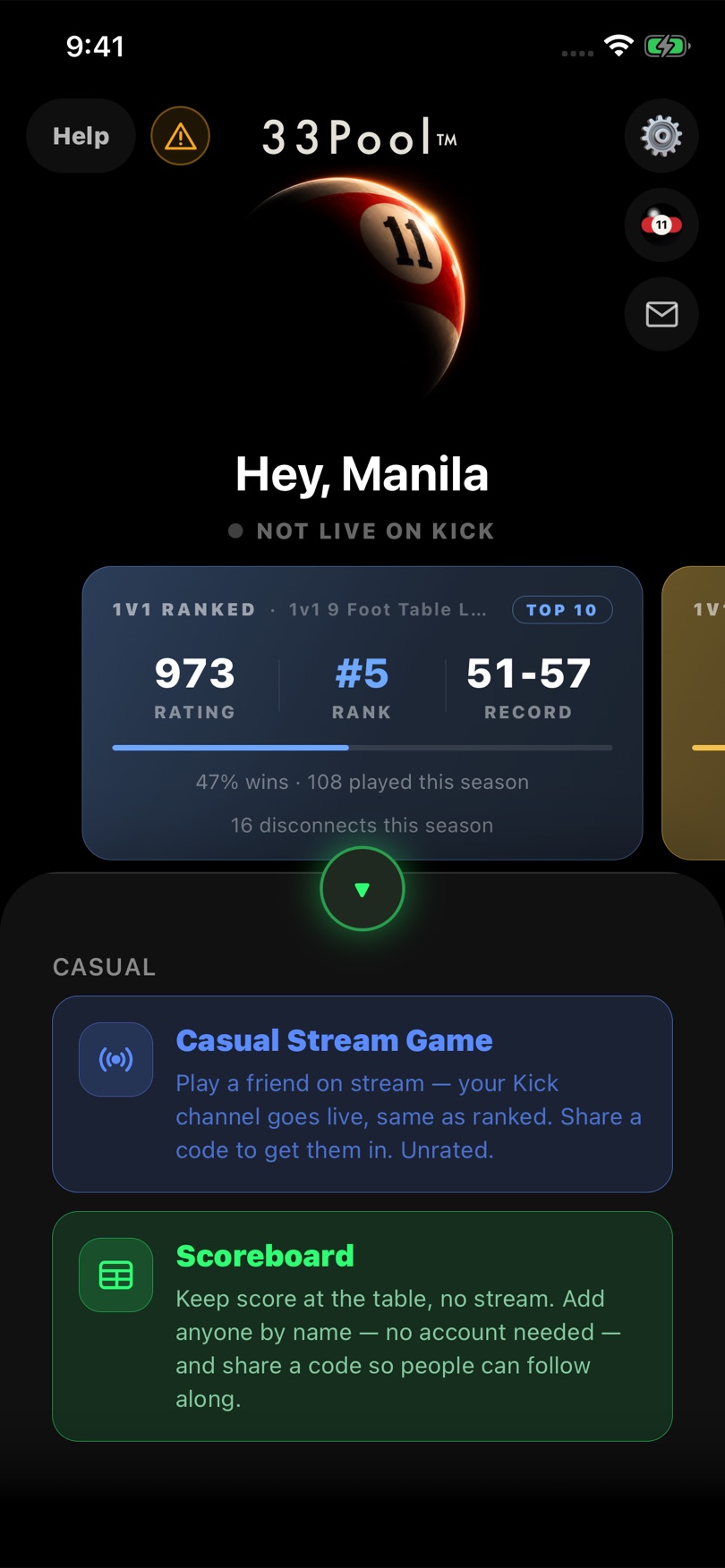
On the home screen, tap Casual at the bottom. Two options slide up — pick Scoreboard, the one for keeping score at the table with no stream.

33Pool Ladder
Global 33Pool Ladder access is opening soon. Sign in to join early access and follow launch updates.
33Pool App · Casual Mode
The 33Pool app isn't in the App Store or on Google Play yet. This is a walkthrough of how the scoreboard will work once you download it, built from the app we're testing right now.
Everyone's at the same table and nobody wants to stream? One phone keeps score for the whole group — heads-up or a five-way free-for-all — and 33Pool does the adding up.
One Phone, Whole Table
Whoever has the app keeps the board. Everybody else just plays.
Step 1
On the home screen, tap Casual at the bottom. Two options slide up — pick Scoreboard, the one for keeping score at the table with no stream.
Step 2
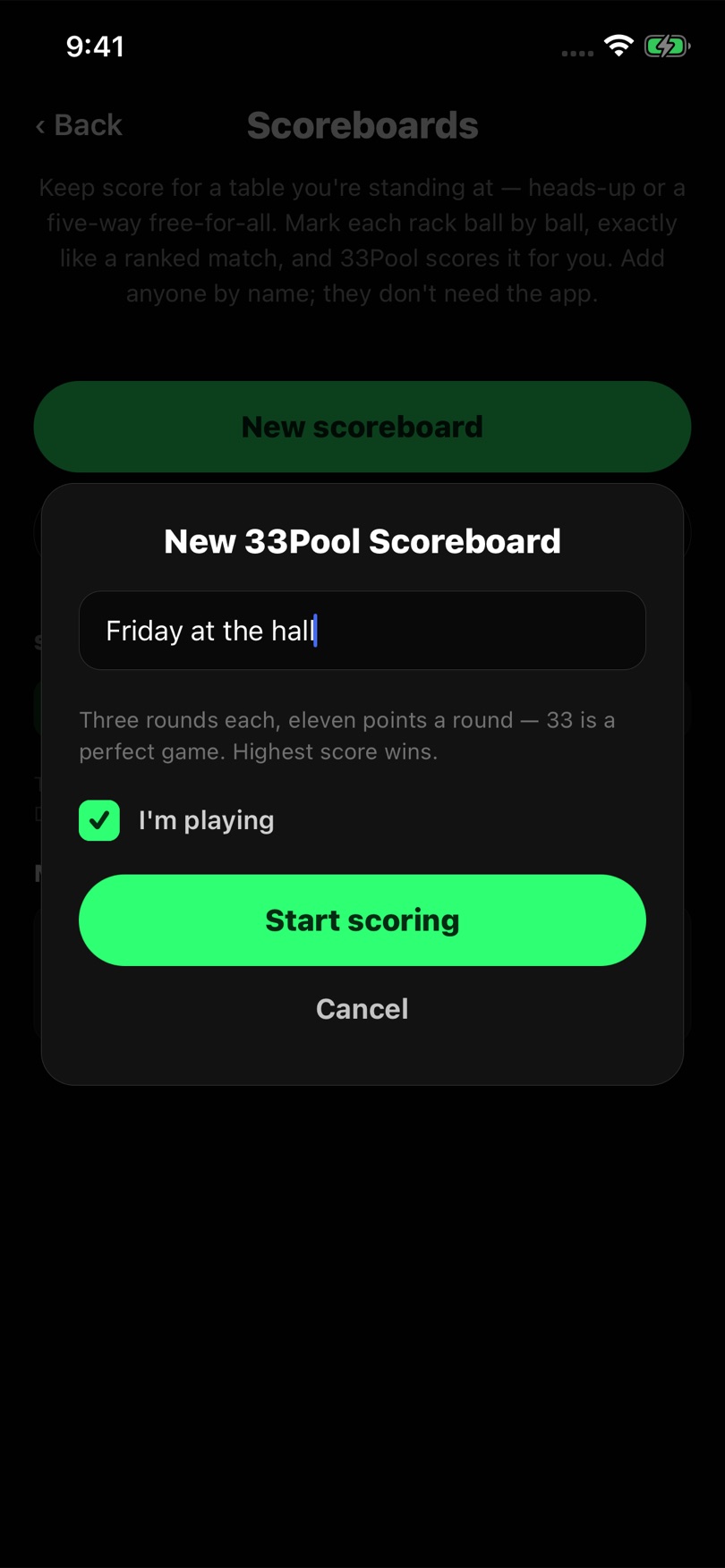
Tap New scoreboard. Giving it a name is optional — something like Friday at the hall makes it easy to find later.
Leave I'm playing ticked if you're in the game as well as keeping score. Then tap Start scoring.
Step 3
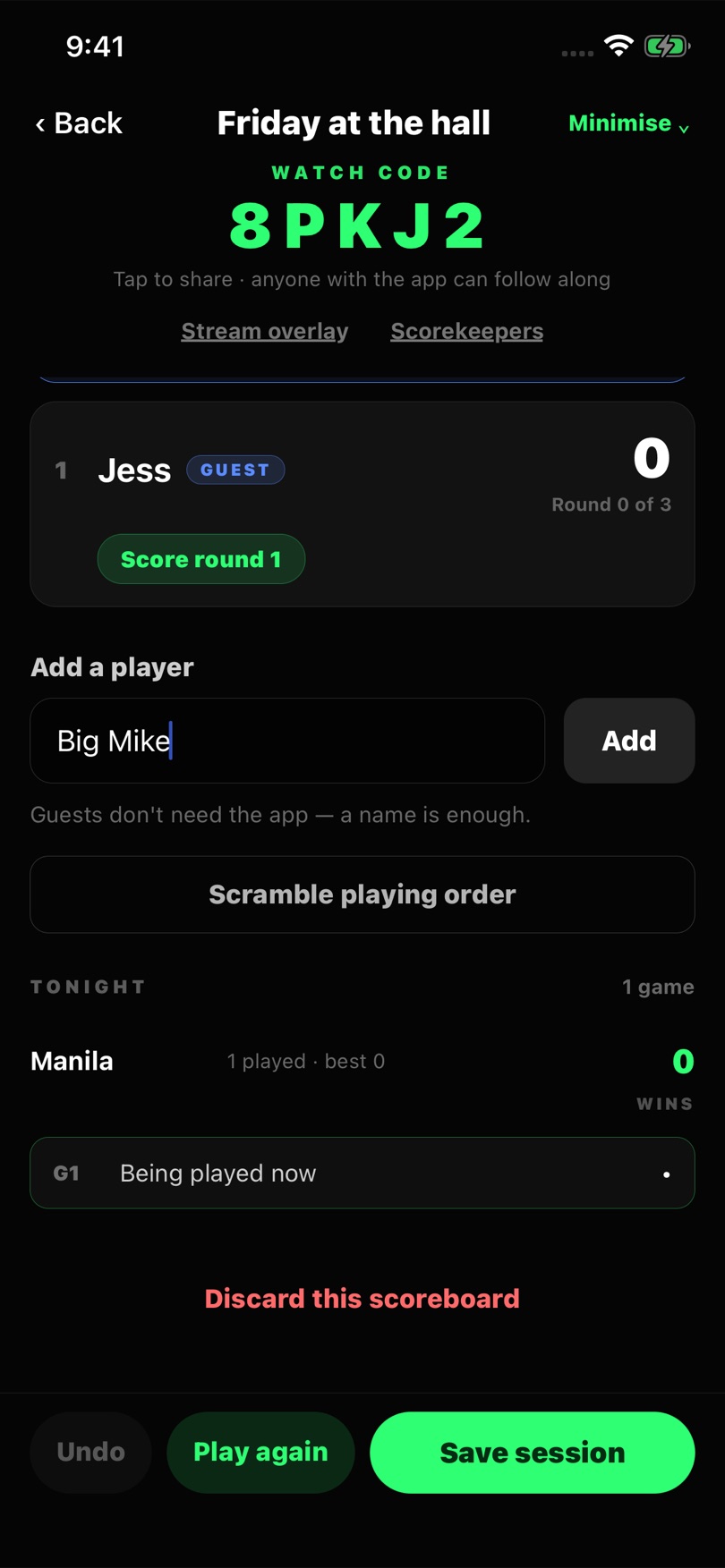
Type a name into Add a player and tap Add. That's all it takes — guests don't need the app or an account.
Players shoot in the order you add them. Scramble playing order shuffles it if you'd rather leave it to chance.
Step 4
The player marked UP NOW is shooting. Tap their Score round button.
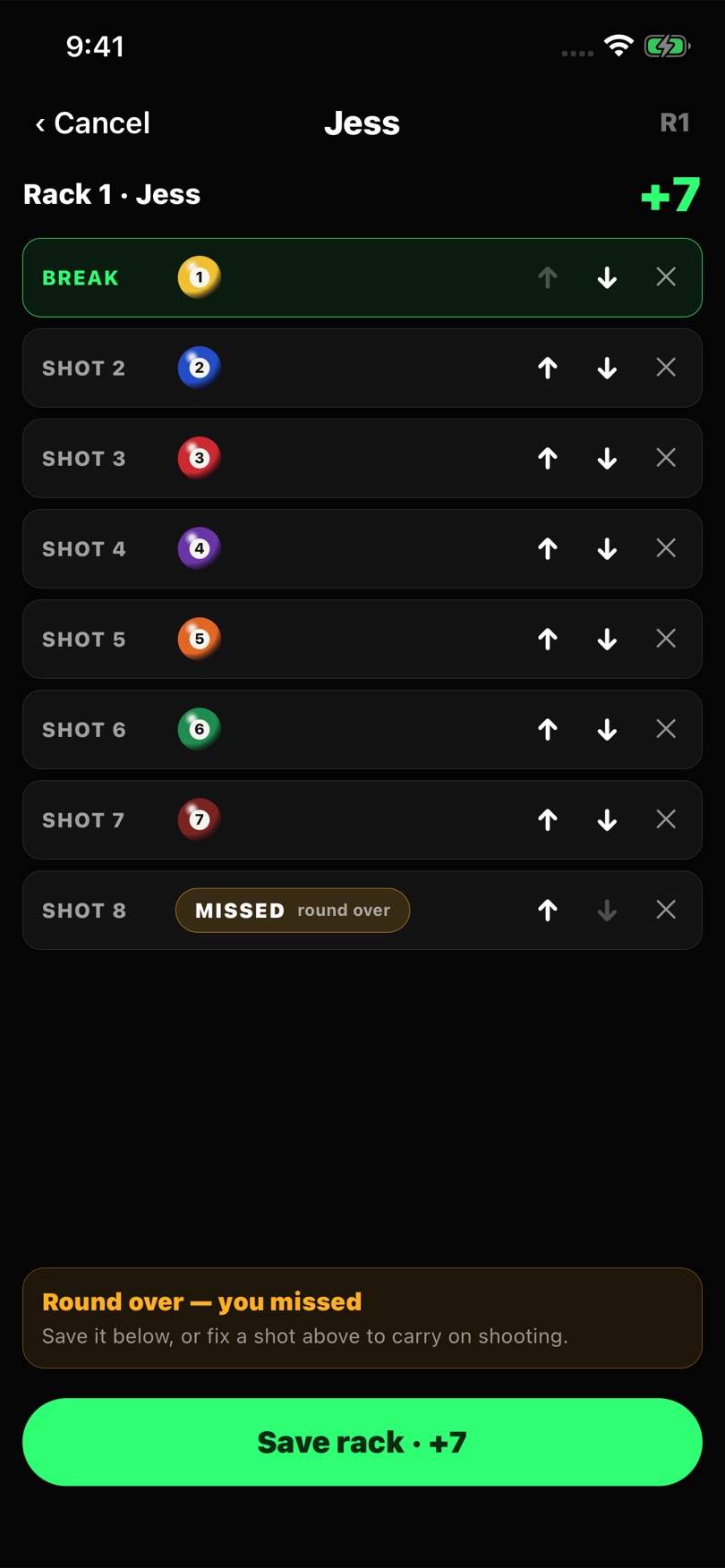
Tap Mark break and pick any ball made on the break. Then tap Add shot for each ball they pot, in order. When they miss, tap Miss and then Save rack. The app adds up the points, so you never do the maths.
Got one wrong? The arrows move a shot up or down and the × removes it, all before you save.
Step 5
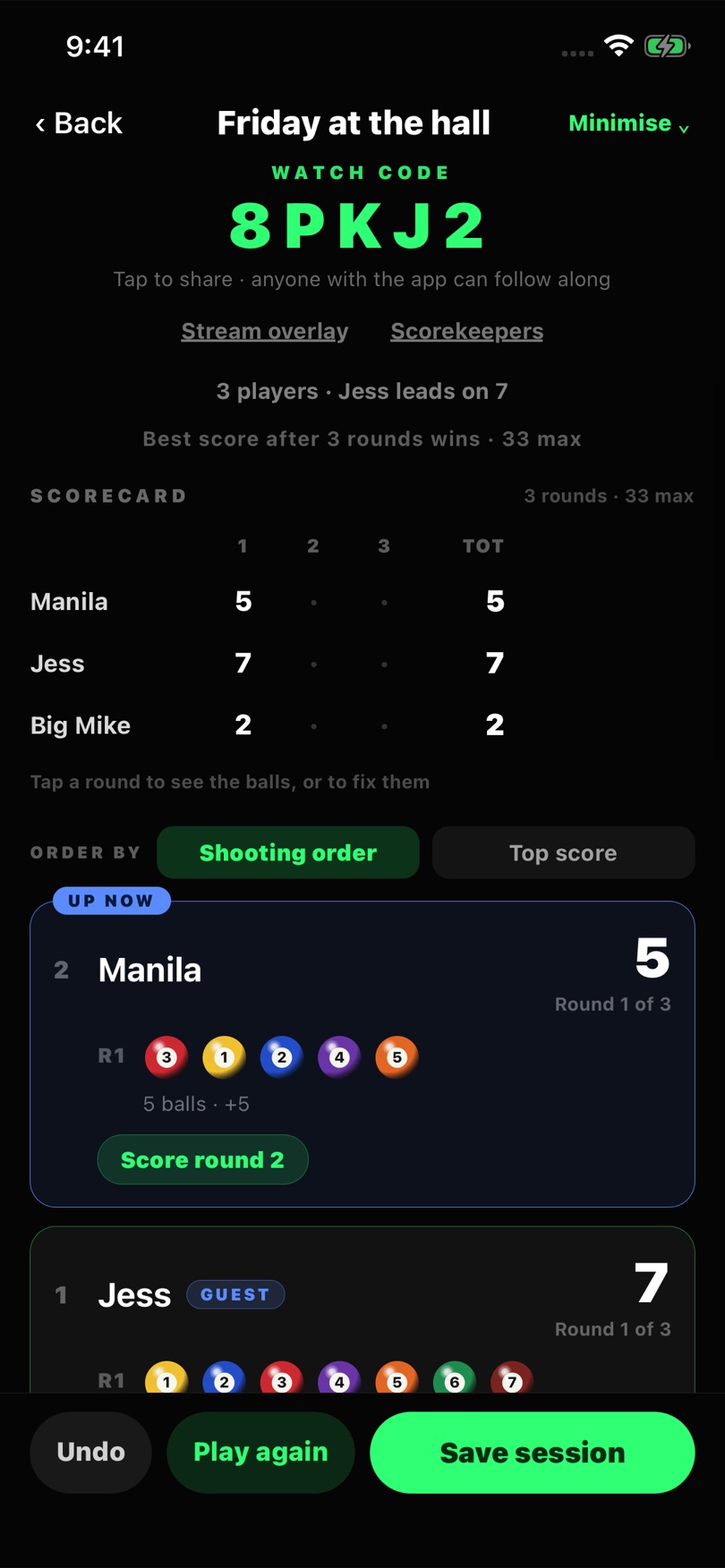
The scorecard at the top shows every player's rounds and running total, with the leader called out above it. Each player has three rounds and each round is worth up to eleven points, so 33 is a perfect game. The best total after three rounds wins.
Tap any round to see the balls, or to fix them. Undo takes back the last rack you saved.
Step 6
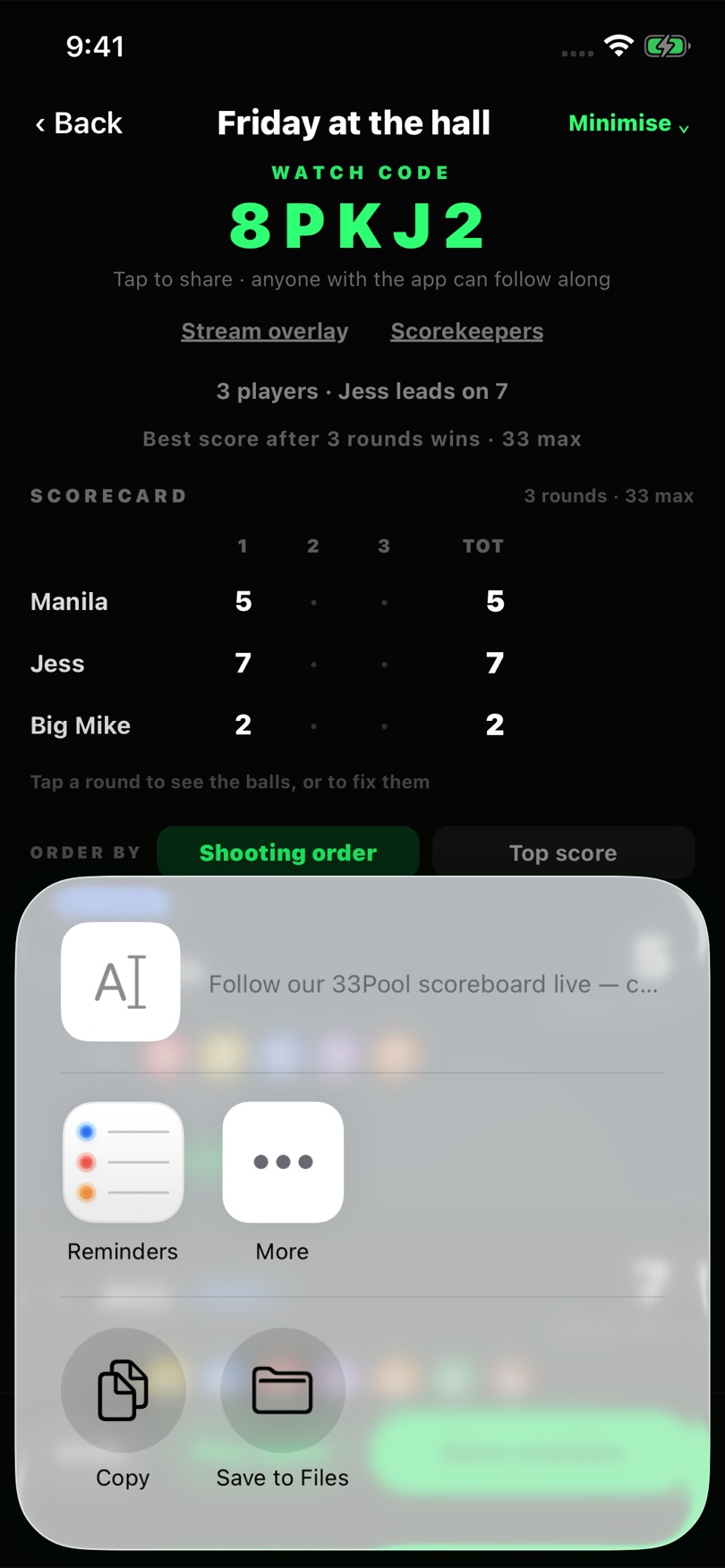
The big code at the top is the watch code. Tap it to send it by text, WhatsApp or anything else on your phone.
Anyone with the code and the app can follow the score live. If you want help keeping score, tap Scorekeepers and let a follower score too. You can always keep scoring yourself.
Step 7
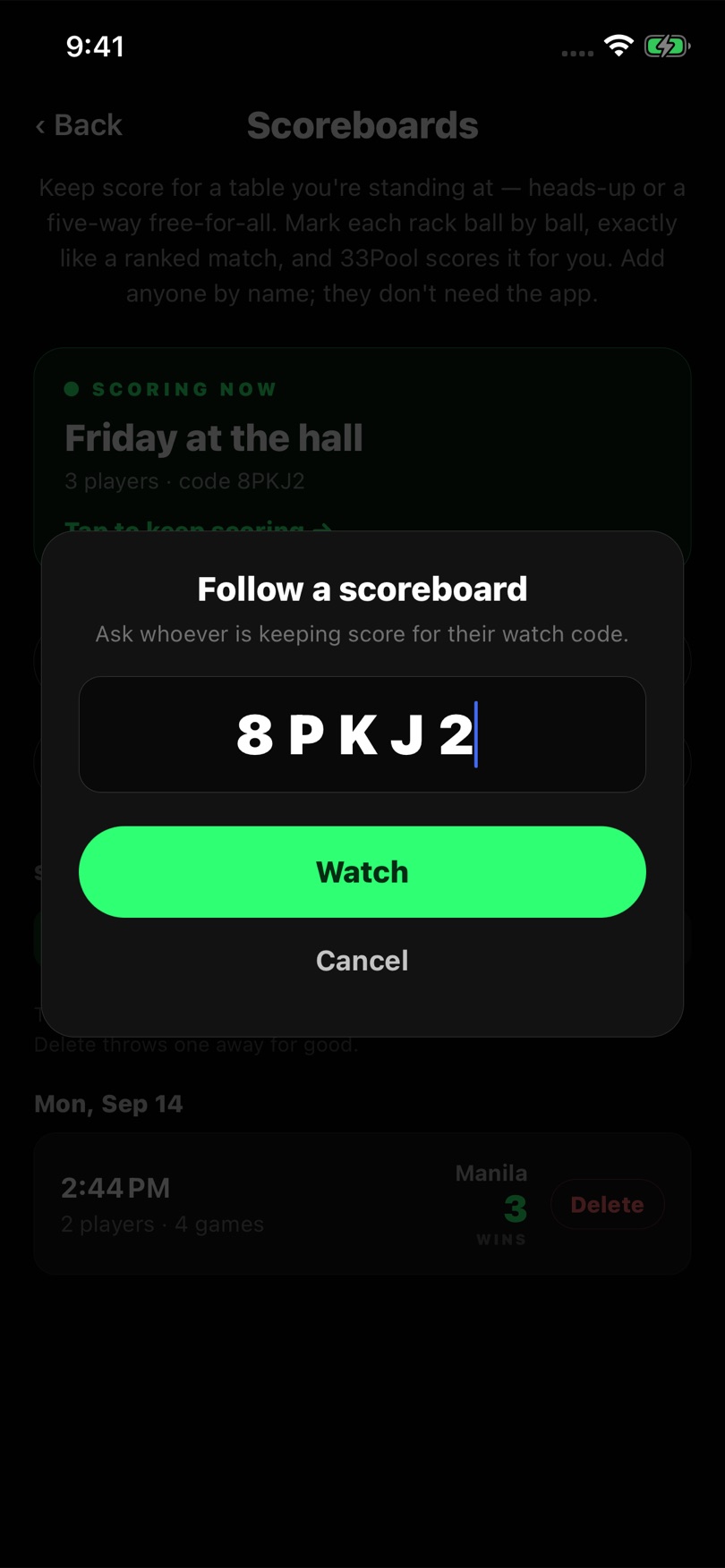
Got a code from a friend? Go to Casual, then Scoreboard, then Follow a scoreboard. Type in the code and tap Watch.
Their board then stays under Following, so you can open it again any time.
Step 8
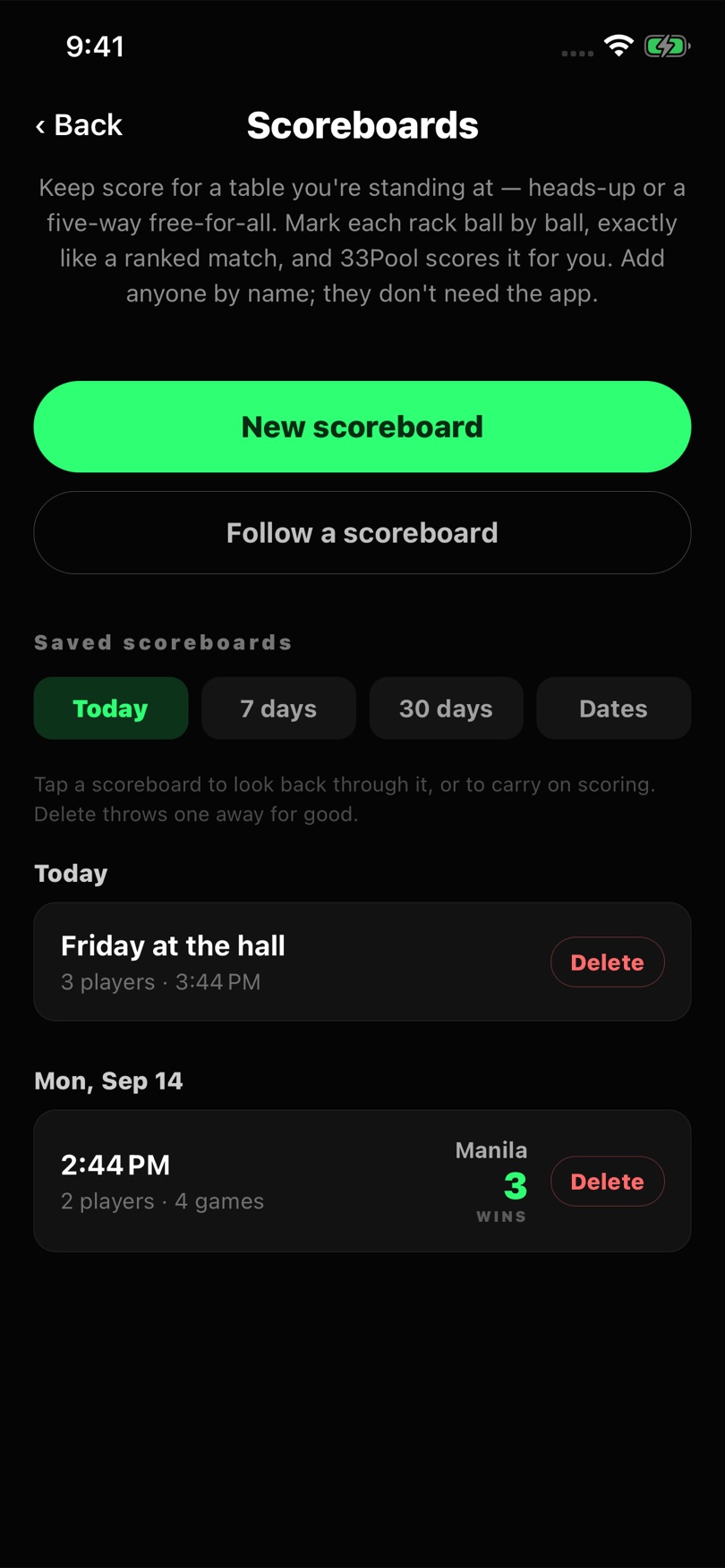
Rack up another game with the same players by tapping Play again. The board keeps count of who won how many games that night.
When you're done, tap Save session. The board goes under Saved scoreboards. Tap it to look back through it, or to carry on scoring. Delete throws it away for good.
Good To Know
Keeper
The person keeping score needs the app, a signed-in account and a signal. Every rack is saved the moment you save it, so the board is still there if you close the app.
Players
Everyone else is just a name on the board. Only people who want to follow along from their own phone need the app.
Streaming?
If you do stream, Stream overlay on the board puts the live score on your stream too.
Playing someone who isn't in the room? Play a friend online with a match code.
The app is in internal testing now. It isn't in the App Store or on Google Play yet, and there's nothing to sign up for — when it's ready to play, you'll hear about it here.
Until then, a pen and the back of a beer mat will have to do.