Phoenix Ladder

33 Rotation is active in the Philippines

Global Phoenix Ladder access is planned for September 1st. Sign in to join early access and follow launch updates.

Phoenix Ladder

33Pool App · Preview

How To Stream Play & Compete Online

Not public yet

The 33Pool app is close to release, but it isn't in the App Store or on Google Play yet. Nothing below is something you can download today — this is a walkthrough of how the app will work once you download it, built from the app we're testing right now.

Rack up at your own table, go live, and let matchmaking find you a real opponent anywhere on earth. Every ranked match you play moves your global 33 Pool rank.

Ranked Play

From Signup To A Live Ranked Match

Six steps, and most of them are one-time setup. Once you're up and running, getting into a rated match is a couple of taps and a walk to your table.

Step 1

Register With Your Kick Account

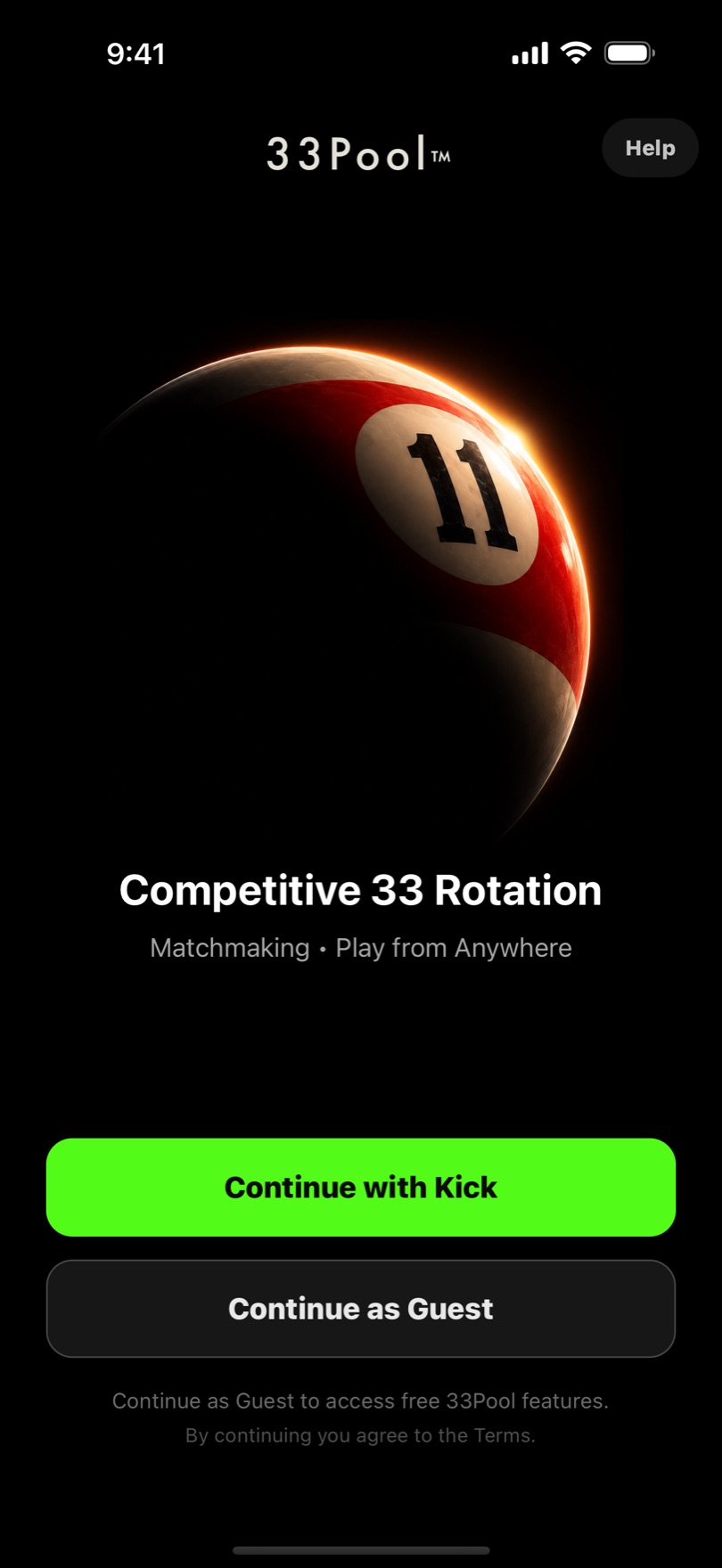
Open the app and tap Continue with Kick. 33Pool uses your Kick account because competing means streaming — that one sign-in creates your free 33Pool account and links the channel your matches will broadcast on.

First time through you'll finish a short player profile. After that the app remembers you and opens straight to your rank.

The 33Pool app sign-in screen with a Continue with Kick button

Step 2

Your Global 33 Pool Rank

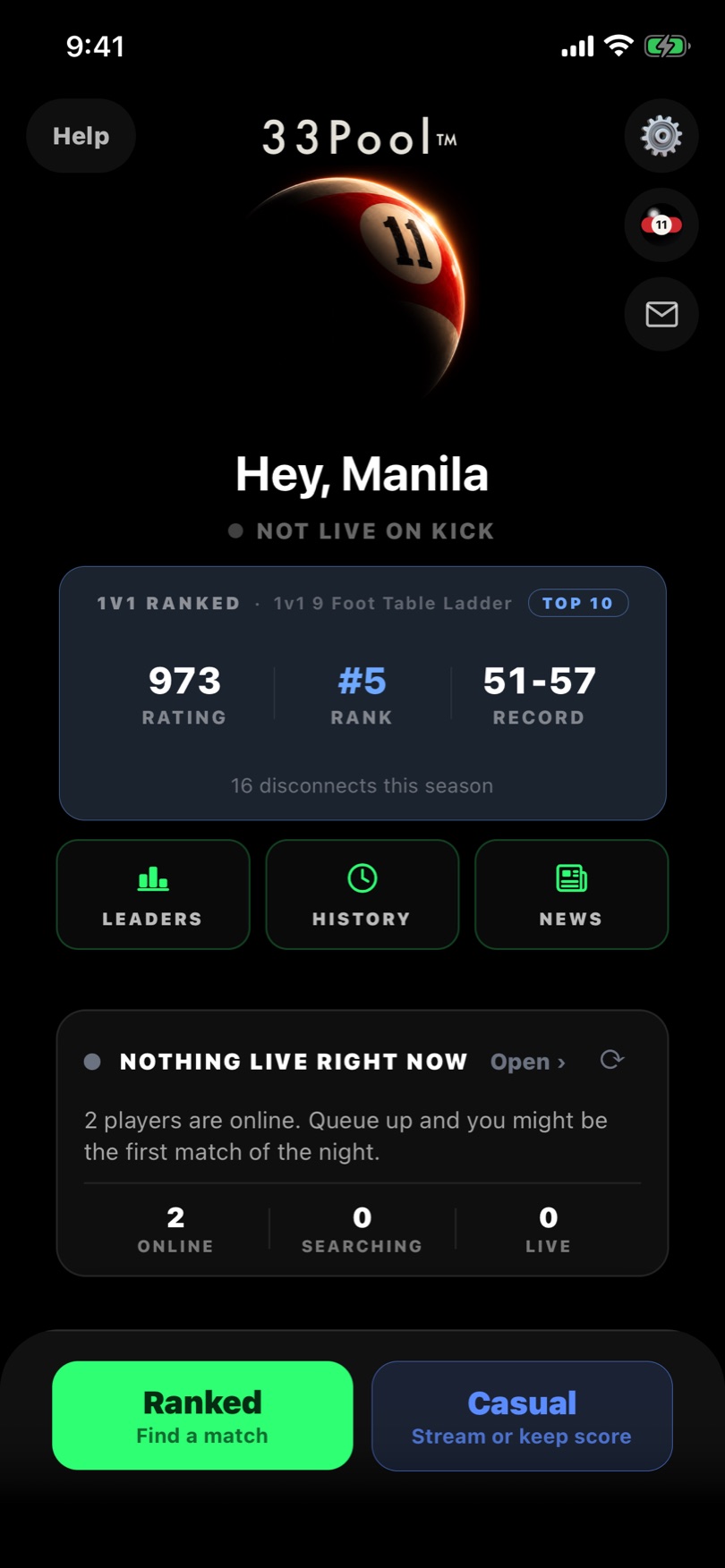
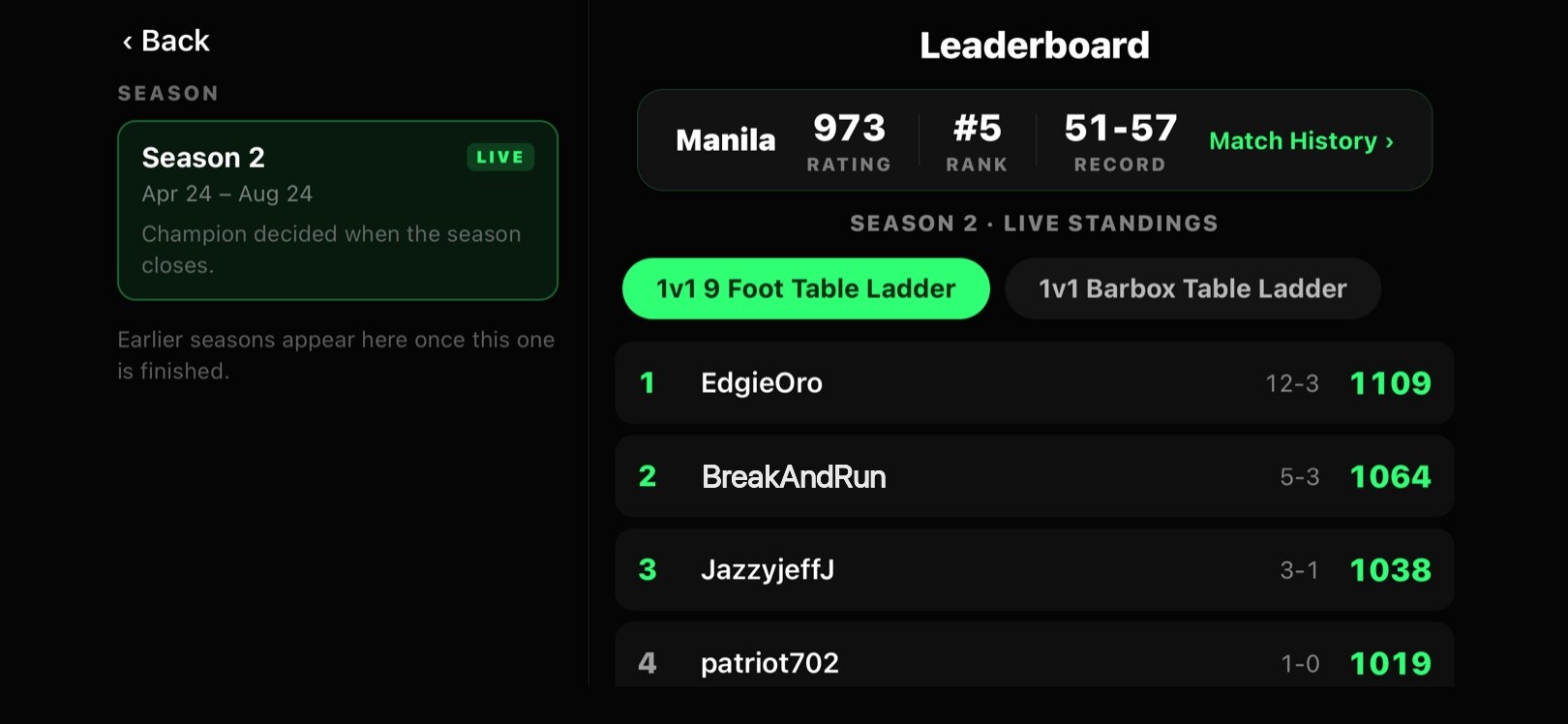
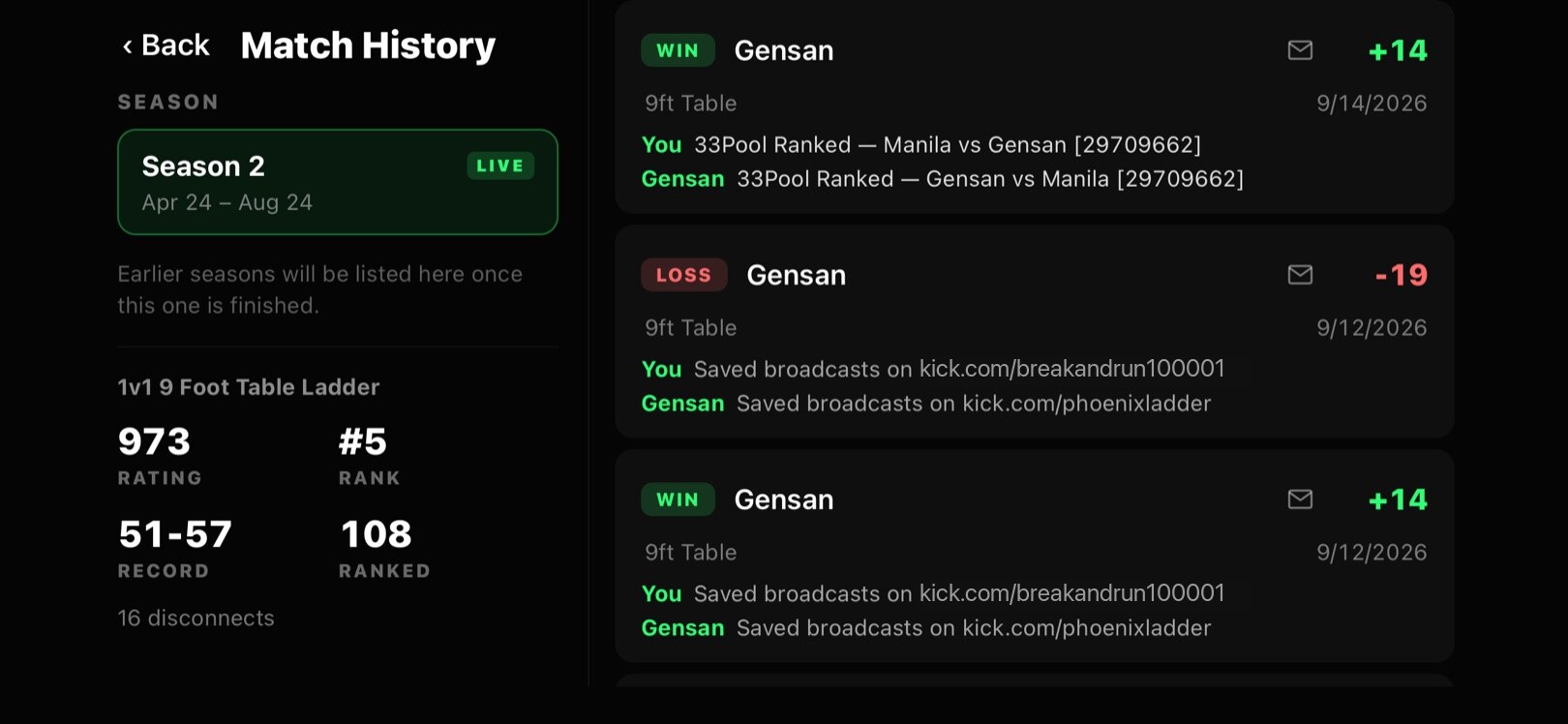
Your home screen is your record: Elo rating, your global rank, and your win–loss record. Every ranked match moves those numbers — beat someone rated above you and you climb faster.

Under your name the app tells you whether you're live on Kick, and View Top Players opens the global leaderboard so you can see exactly who's above you.

The 33Pool app home screen showing Elo, global rank and win-loss record

Step 3

Pick Your Table, Then Find A Match

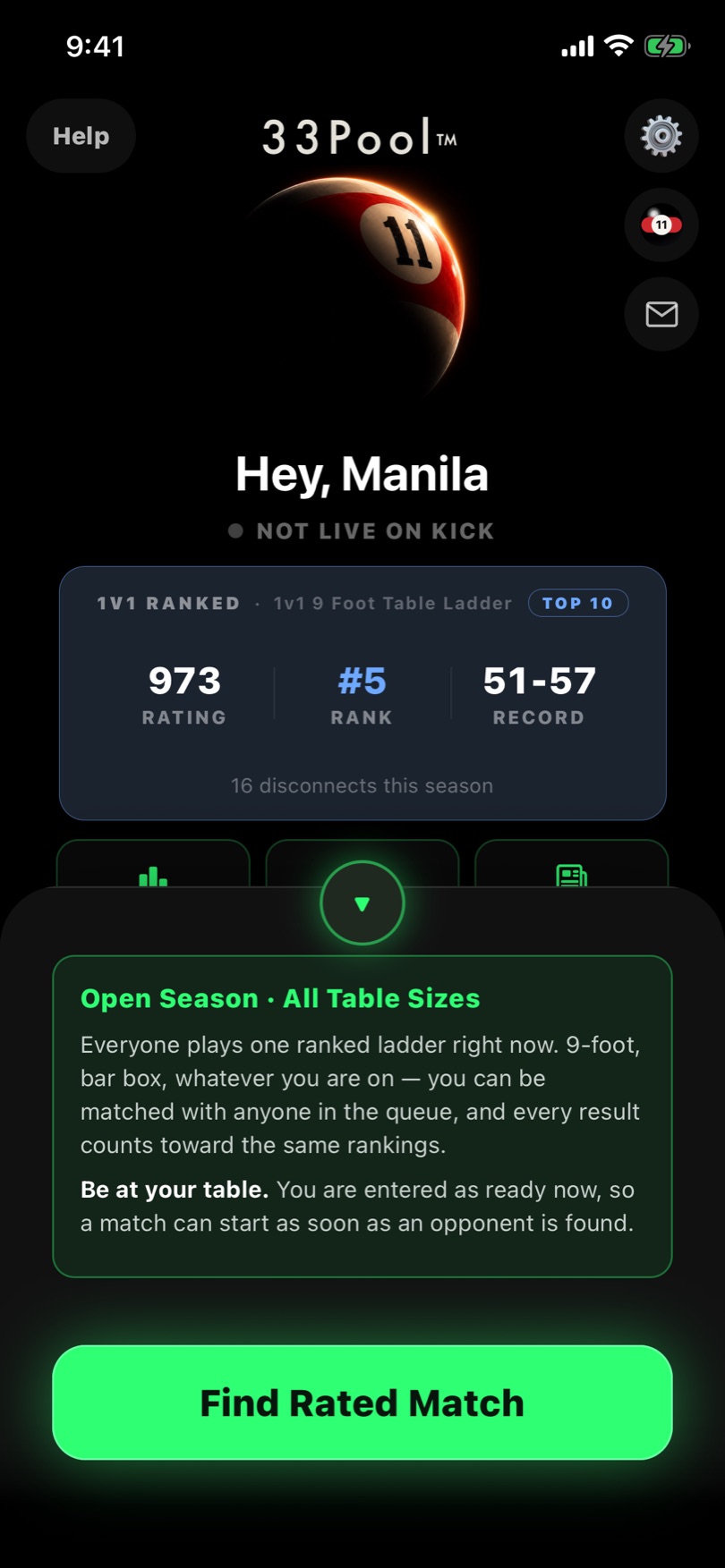
Pull up the drawer at the bottom and you get two calls to make before you queue. First, which table you're on — 9ft Table or Bar Box — so you're matched against someone playing the same equipment.

Second, your arrival window: Ready Now if you're already racked, or 5, 10 or 15 minutes if you need to get to the table and set your camera up. Then hit Find Match.

Choosing 9ft Table or Bar Box and an arrival window before finding a match

Step 4

Scanning The Ladder

The app goes looking for the closest available opponent by rating. You get a running clock, a reminder of what you queued for, and Cancel Search if you change your mind.

You don't have to sit and watch it. Put the phone down and rack up — it'll let you know the moment it finds someone.

The 33Pool app scanning the ladder for a ranked opponent

Step 5

Match Found — Check In At Your Table

When matchmaking pairs you up, your phone lights up with Match found and turns landscape — the way you'll have it propped up for the rest of the match. Walk back to the table and confirm with I'm at my table.

A streams panel shows whether each of you is live yet, and if you're still dark you can start your stream right from this screen. Once you're both checked in, a short go-live countdown runs — a last chance to back out — and then the match begins. No lobby, no scheduling, no waiting on an organiser.

Screenshot coming soon

Step 6

Play The Match

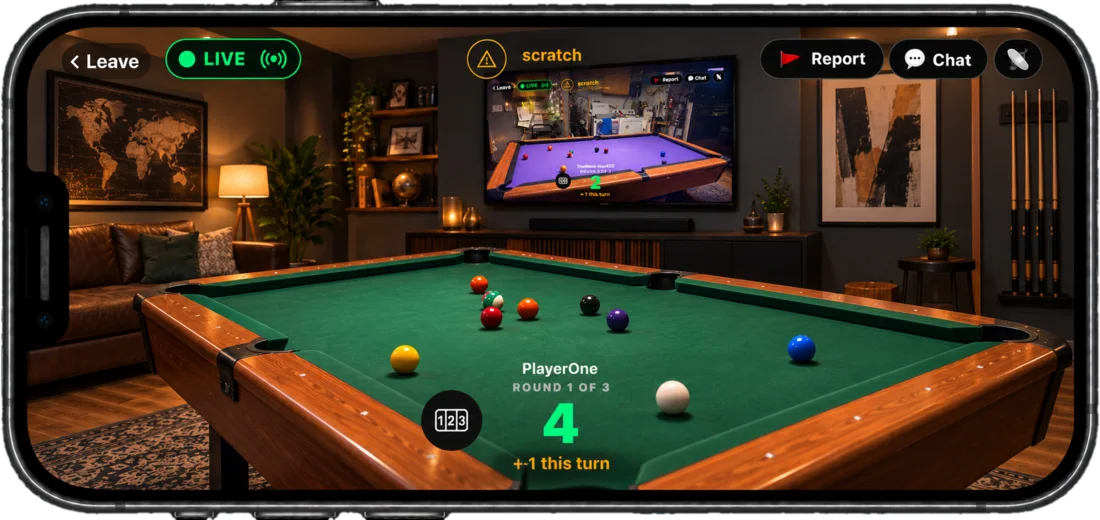
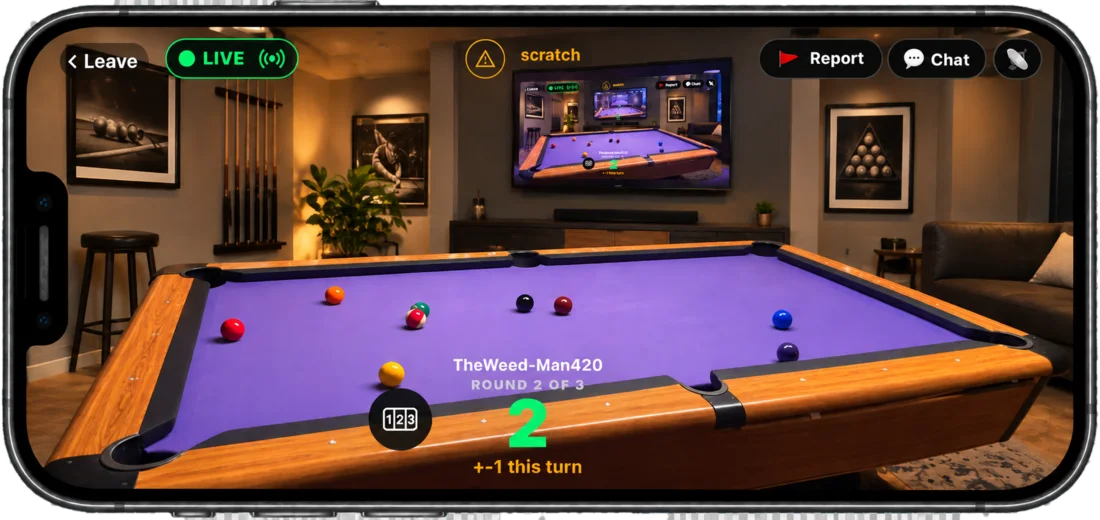
The match screen puts your opponent's table on your phone full-screen with the live score over the top, so you can see the shot they just took. When it's your turn to shoot, your own camera preview comes up; when it's theirs, you keep score.

If a caster has picked up your match, they keep score instead and the game goes out on Phoenix Ladder TV for everyone else to watch.

Screenshot coming soon

Casual Play

Play A Buddy With A Match Code

Not every game needs to be for rating. Casual lets you pull a specific person into a match in about ten seconds — no queue, no rating risk. See the full casual walkthrough →

You

Create A Code

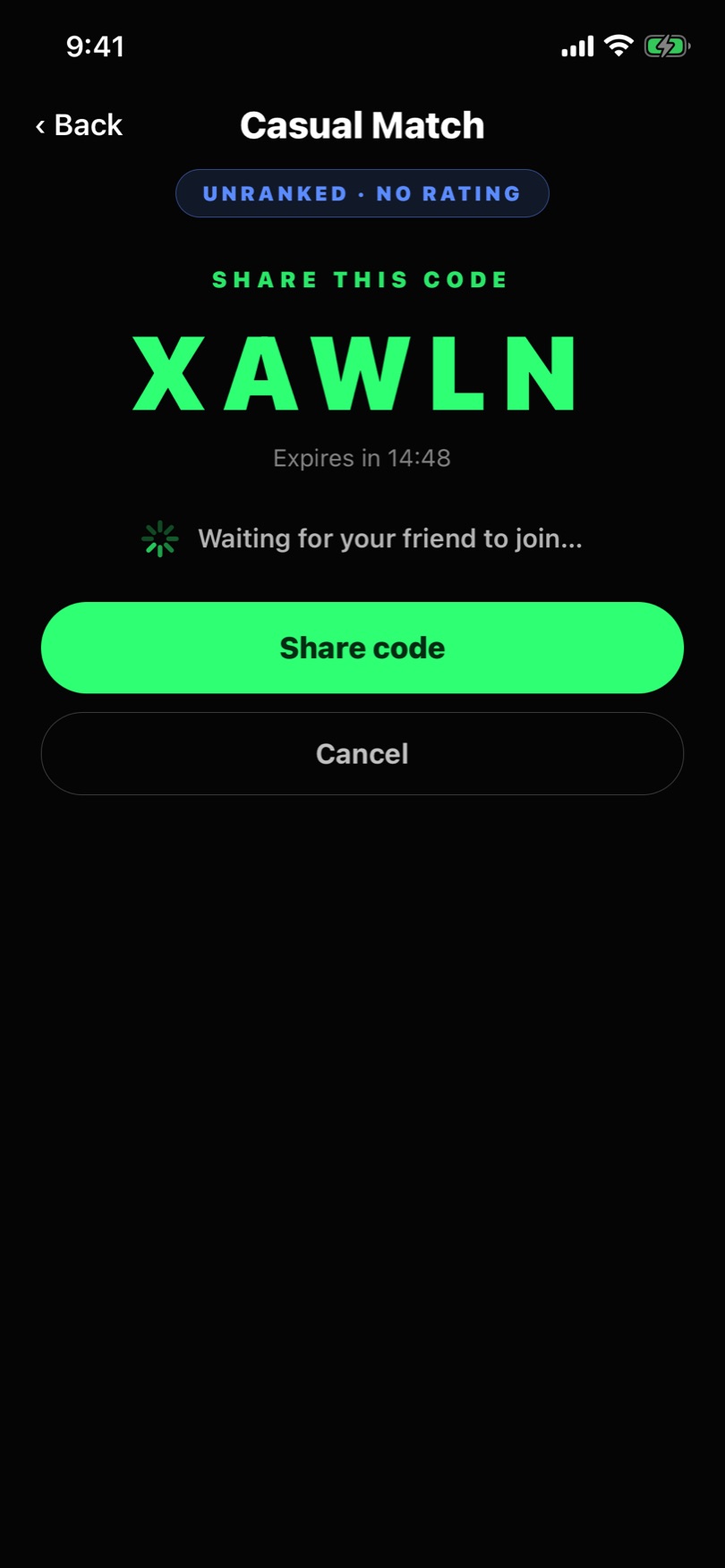
Tap Casual — Play a friend, pick your table, and tap Create a match code. You get a short code — something like 2ZKKM — with a countdown running on it. Hit Share code to fire it off in any messaging app.

Your buddy

Enter It

They open Casual, tap I have a code, and type the one you sent before the countdown runs out. Your screen sits on waiting for your friend to join until they do. That's the whole handshake.

Then

Same Match, No Elo

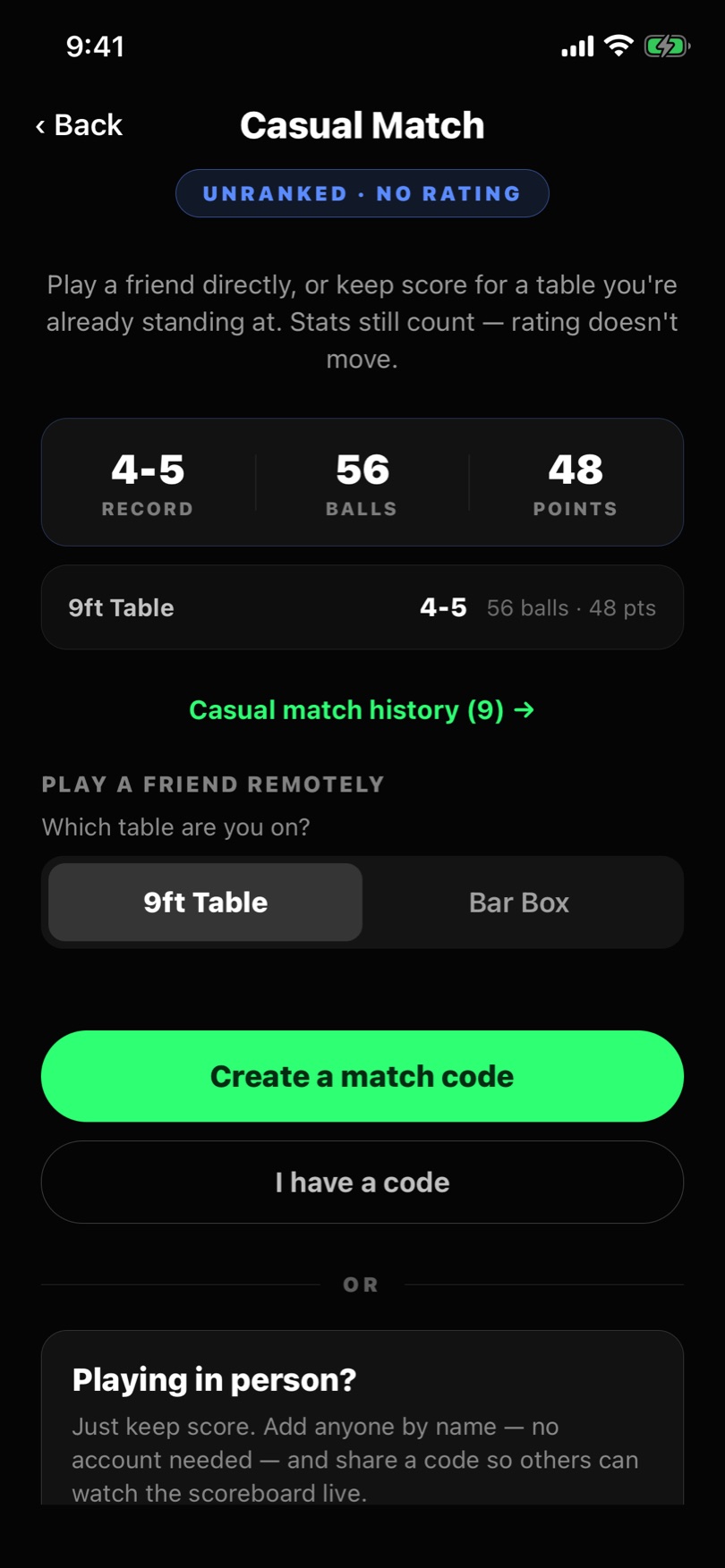
From there it's the ordinary match flow — check in, go live, play. The app labels it UNRANKED · NO ELO so nobody's confused about the stakes: casual records every statistic for both players, it just doesn't move your Elo or your global rank.

A casual match code in the 33Pool app, marked unranked with no Elo, waiting for a friend to join

Coming Soon

Teams

Individual rank is only half of it. Team play is in the works with a rating of its own — a Team Elo your side builds together, kept entirely separate from the singles ladder. Here's the shape of what's coming.

Coming soon

Create A Team

Start a team, name it, and build your roster. As captain you decide who's on the team and who plays a given fixture.

Coming soon

Join A Team

Get invited by a captain or apply to a team that's recruiting — including teams on the other side of the world, because nobody has to be in the same room.

Coming soon

Compete As A Team

Team fixtures build your Team Elo — a rating the team earns as a unit and climbs the team ladder with. Your singles Elo stays where it is, so turning out for your team never puts your own rank at risk.

Team play is still being designed, so the detail above will firm up as it gets built.

Nearly There

The app is in internal testing now. It isn't in the App Store or on Google Play yet, and there's nothing to sign up for — when it's ready to play, you'll hear about it here.

In the meantime, the fastest way to be ready is to know the game.